
Pick a program and follow it
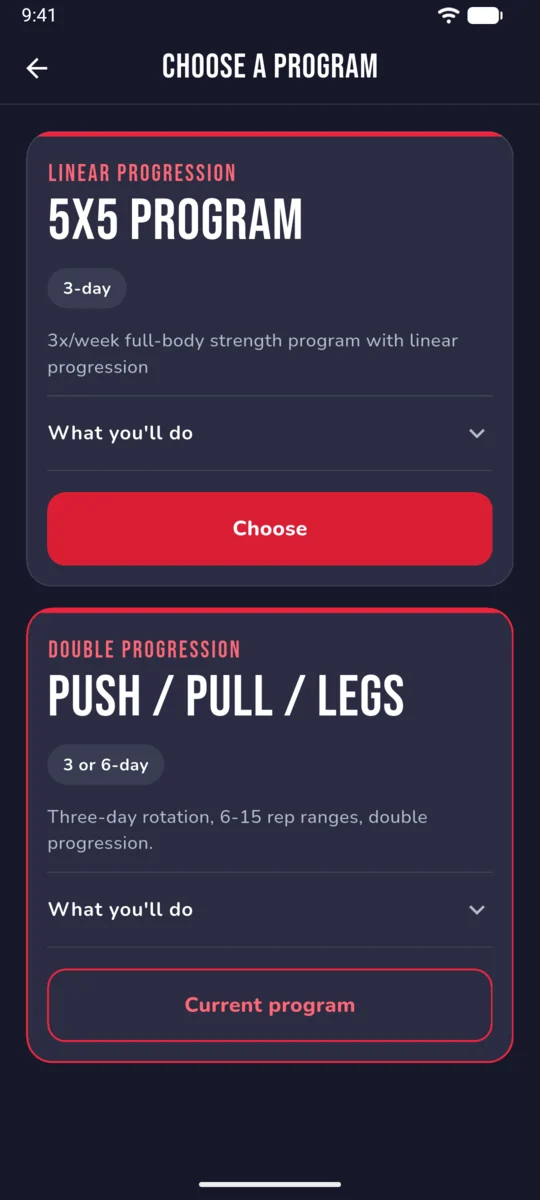
Choose 5×5 or Push / Pull / Legs and every session is planned for you: exercises, sets, reps and the weight to load, moving up as you get stronger.
Pick a proven strength program and follow it: RoburLog tells you what to lift, how much, and when to move up. Ask AI about your training, compare your progress with up to five friends, and carry on where you left off on iPhone, Android or the web.
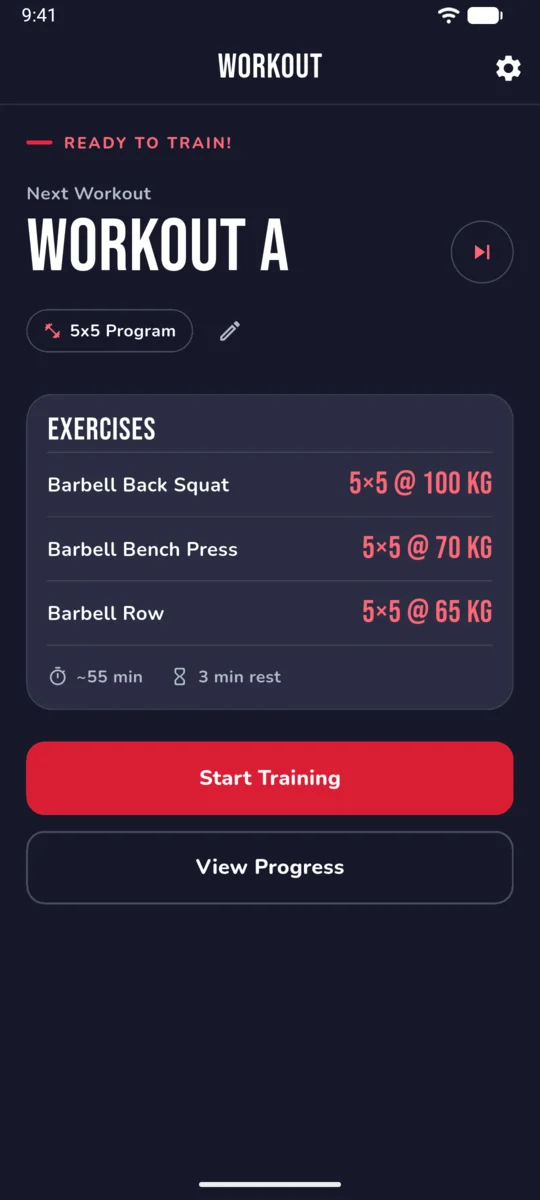
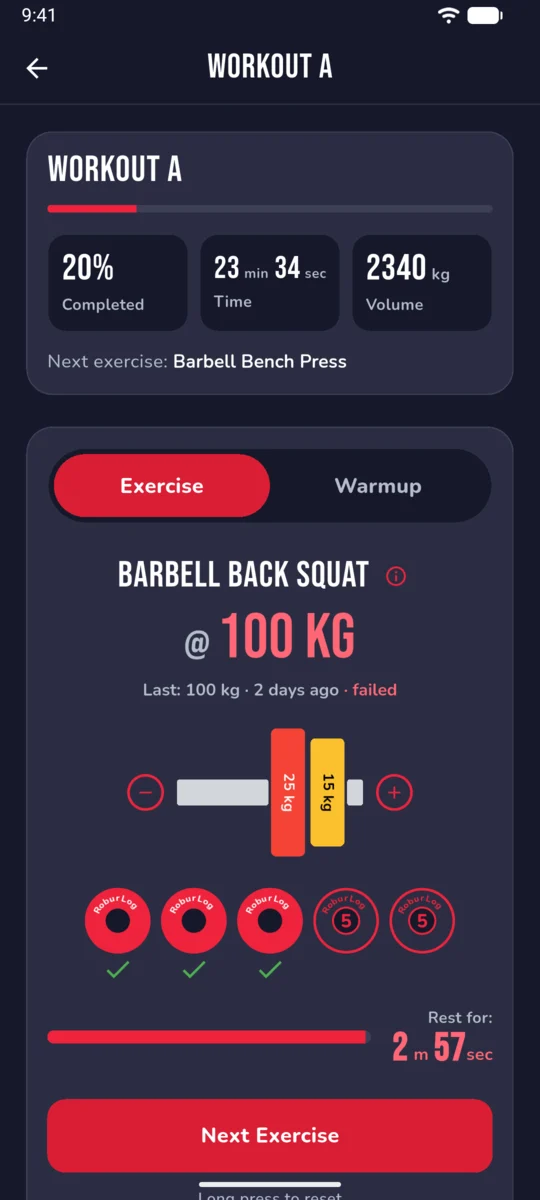
Choose 5×5 or Push / Pull / Legs and every session is planned for you: exercises, sets, reps and the weight to load, moving up as you get stronger.
Connect Claude or another AI assistant to your training data and ask about your progress, balance and next steps in plain language.
Add Friends with a private code, see the workouts they finish on your Timeline and their lines on your progress charts.
Free on the App Store and Google Play. Sign in on the website with the same account to see your reports and Friends on a bigger screen.
Choose a proven strength program, follow it consistently, and let the app handle the planning. Each program comes with a clear structure — exercises, sets, reps, and rest times are all laid out for you. All you have to do is show up and lift.
Pick 5×5 to build raw strength on the main barbell lifts, or Push / Pull / Legs to train each muscle group more often with a wider range of exercises.
Exercises, sets, reps and rest times are laid out for you, with the weight to load for every lift. Log each set as you go.
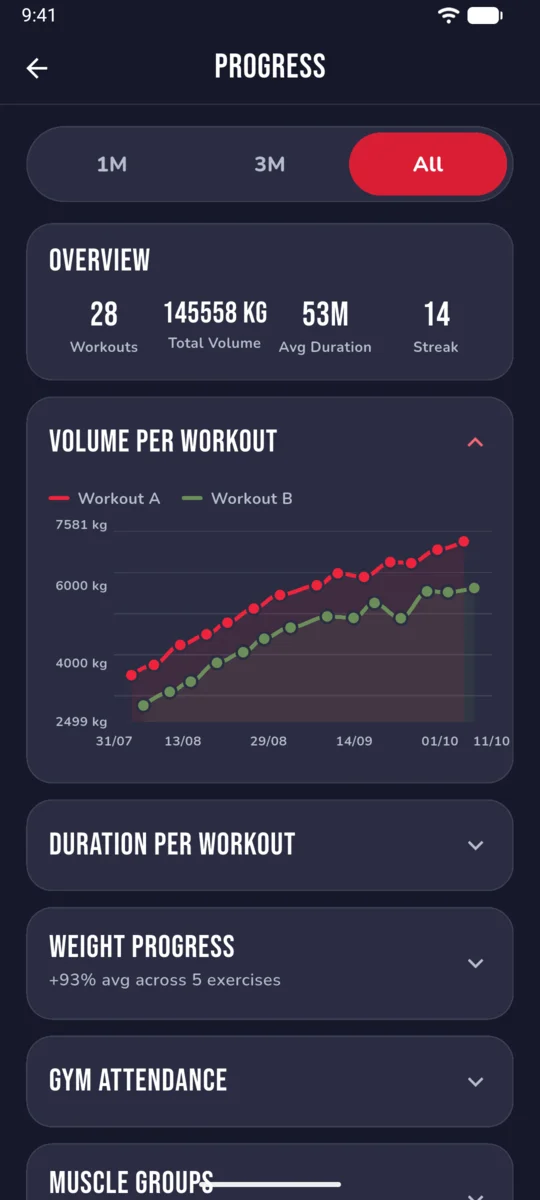
RoburLog moves your weights up by the program's rules and charts every lift, muscle group and personal record along the way.
Pick the one that matches your goal — building raw strength on the main barbell lifts, or training each muscle group more often with a wider range of exercises. You can switch between them at any time, and your workout history is kept either way.
One of the most popular and effective beginner-to-intermediate strength routines. Five compound exercises — squat, bench press, barbell row, overhead press, and deadlift — across two alternating workouts, three days per week. You perform 5 sets of 5 reps for each exercise (deadlifts at 1×5), starting with manageable weights and adding a small increment every session.
When you enroll, RoburLog sets up your plan with your starting weights and handles all the progression logic. Before each session it tells you which workout is next and what weights to use, and as you log your sets it adjusts future sessions accordingly.
Training split across pushing muscles (chest, shoulders, triceps), pulling muscles (back and biceps), and legs. Run it three days a week to hit each muscle group once, or six to hit each one twice, with barbells, dumbbells, cables, and machines — bench and overhead press on push day, rows and lat pulldowns on pull day, squats and Romanian deadlifts on legs.
Rep ranges run from 6–8 on the heavy compounds up to 12–15 on isolation work. You stay at the same weight until you hit the top of the range on every set, and only then does the app move you up — RoburLog tracks which sets landed in range and makes the call for you.
RoburLog has its own MCP server, so you can connect an AI assistant to your training data and ask about it in plain language. It can read your program, workouts, personal records and reports, and answer with tables, charts and advice. Access is read-only: the assistant can't change your program or your log, and it only sees your own data after you sign in.
This is the server address:
https://ai.roburlog.io/mcp
Any AI app that supports remote MCP connectors can use this address, and you set it up the same way in each one.
Run this command instead:
claude mcp add --transport http roburlog https://ai.roburlog.io/mcp
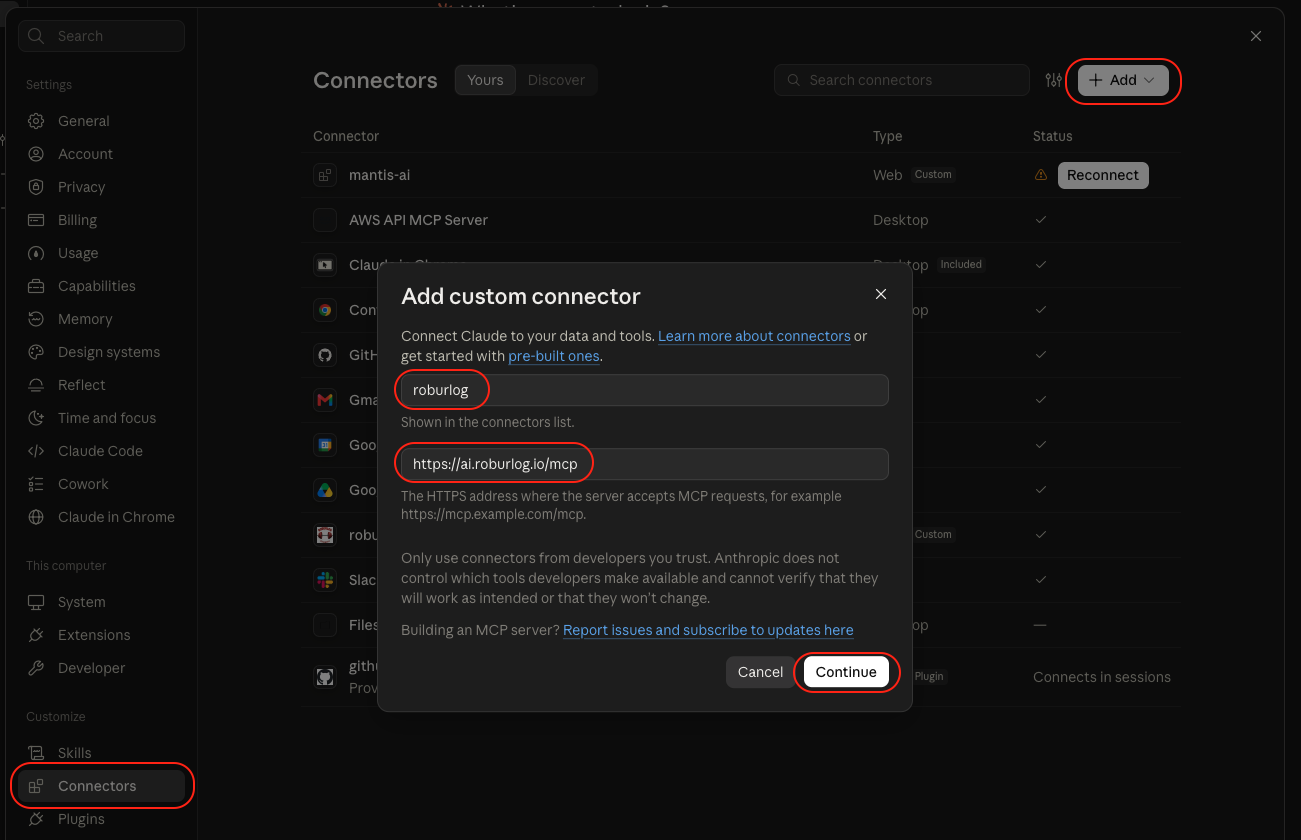
In Claude, go to Settings → Connectors, click Add and choose Add custom connector. Name it roburlog, paste the address and click Continue, then sign in with Google or Apple.
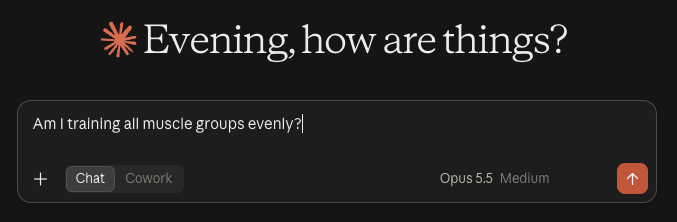
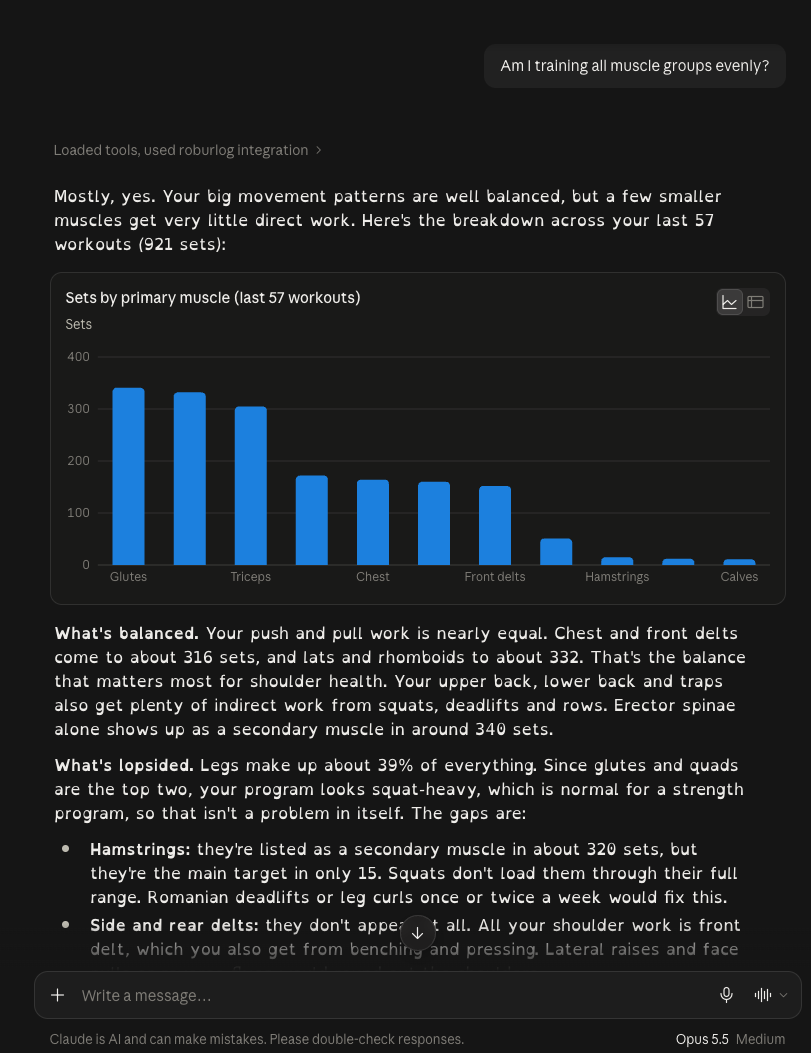
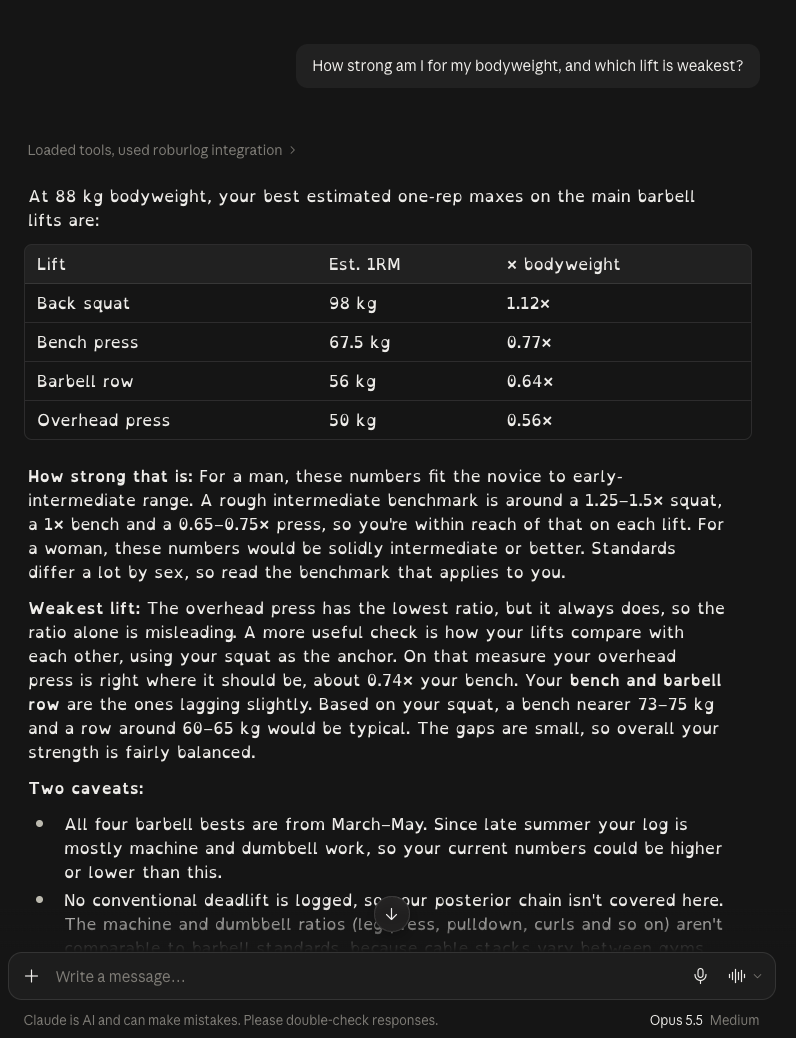
AI assistants can make mistakes, so check anything important against your reports.
Share your Friend Code with up to five people you train with. Once you're Friends, you see each other's finished workouts on a Timeline, and your progress charts show how your lifts compare on the exercises you both do. Friends is optional and invite-only: no public profiles, no search, no likes or comments. It works in the app and on the website.
Copy your Friend Code from the Friends screen and send it to the people you train with. Nobody can find you any other way.
They send a request with your code, and you accept or decline. Either of you can end the friendship, or block someone, at any time.
Each exercise chart gains a line for every Friend who does it, and the Timeline shows the workouts they finish, new personal records included.
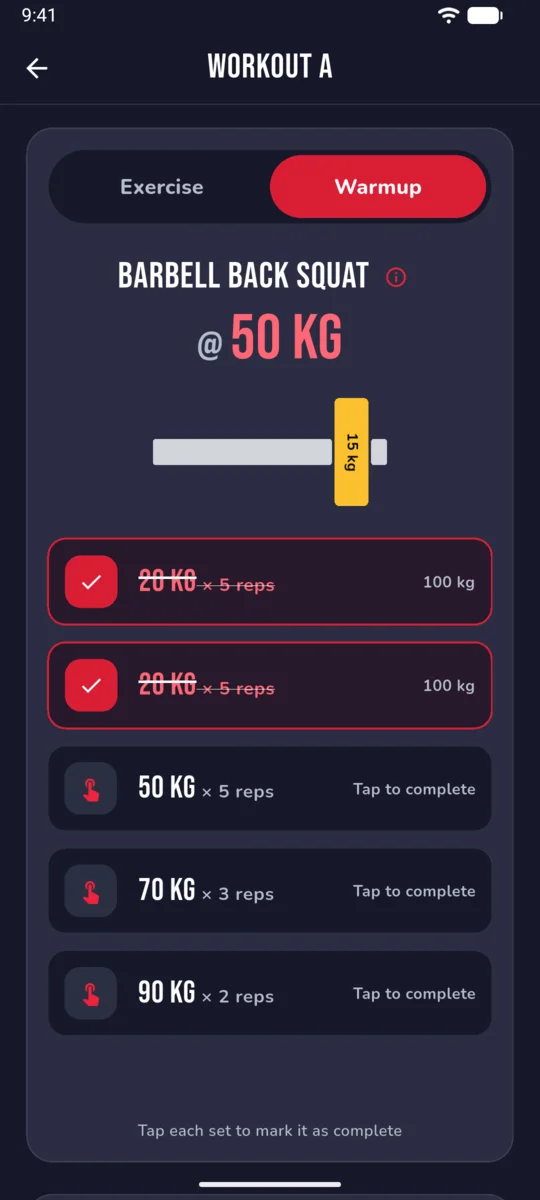
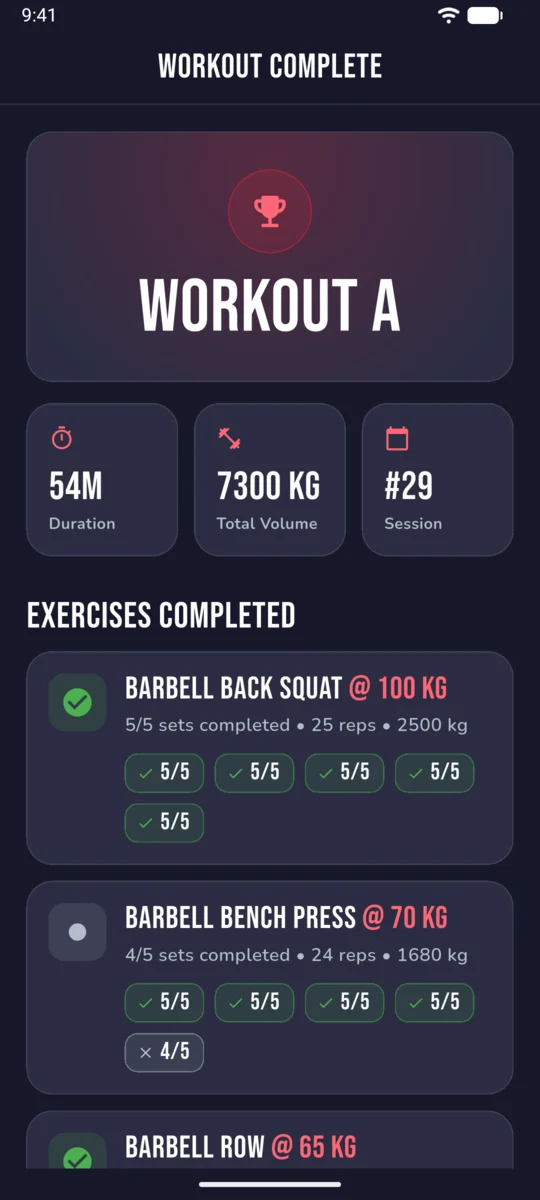
Each session shows you the exercises, target sets and reps, and suggested weights based on your history.
The app calculates your next working weights based on the program's rules, so you always know what to load on the bar.
Log every set in real time during your session, recording the weight and reps completed. The app tracks completed and incomplete workouts alike.
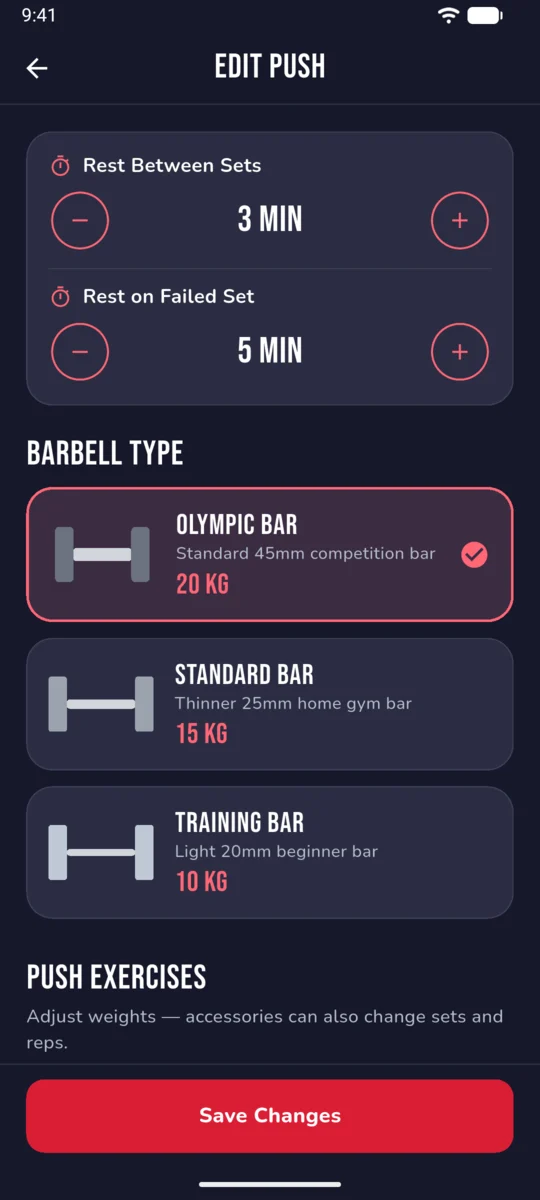
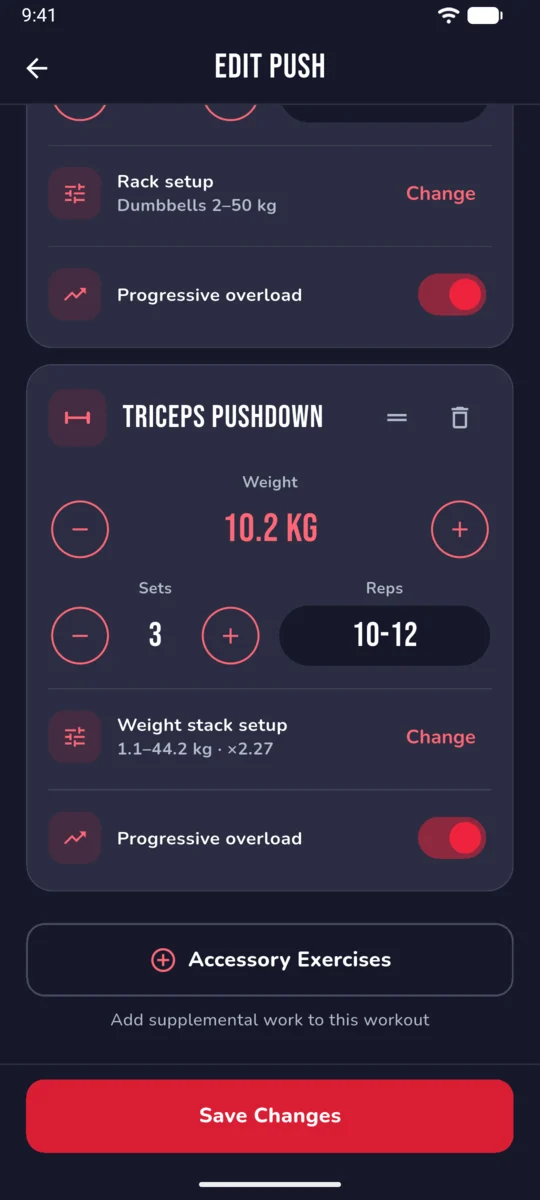
Pick the barbell that matches your gym — Olympic, Standard, or Training — and fine-tune rest times, working weights, sets, and reps for every exercise in your program.
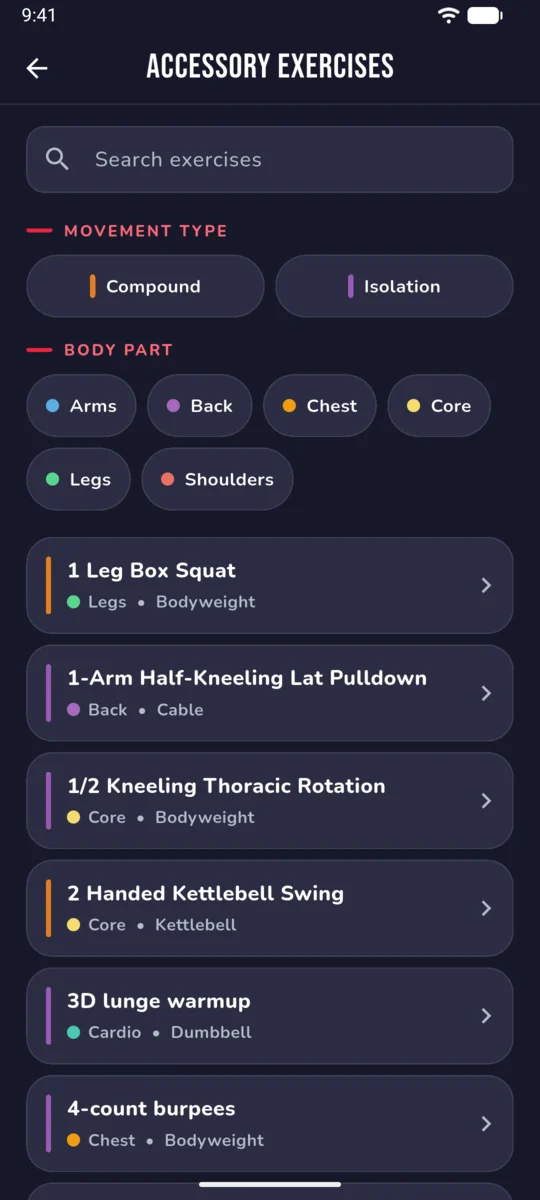
Browse a curated library of accessory movements, filter by compound or isolation, and drill down by body part (arms, back, chest, core, legs, shoulders) to round out your program with targeted work.
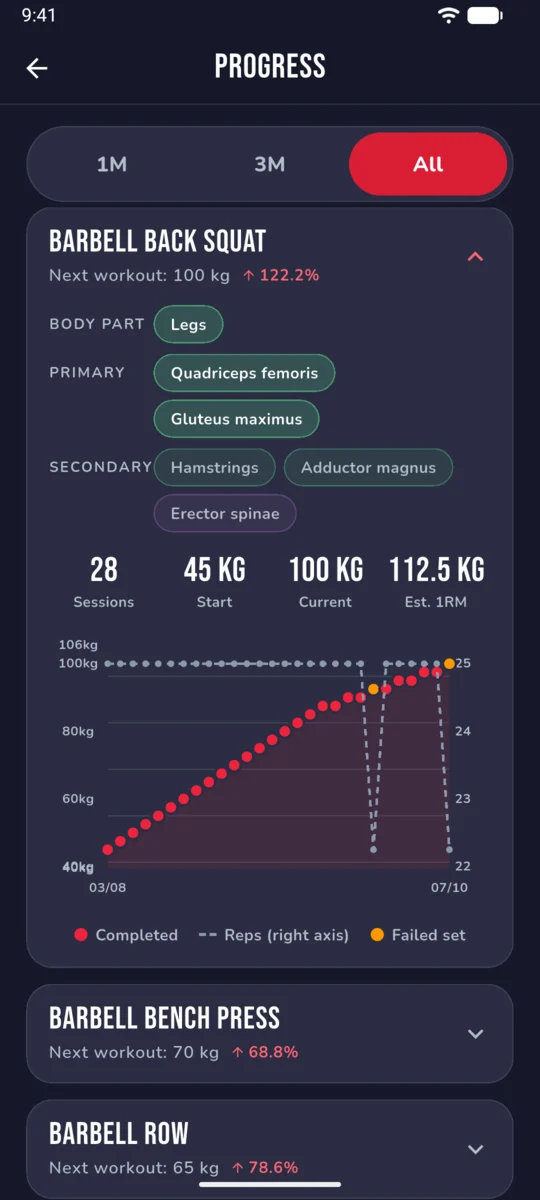
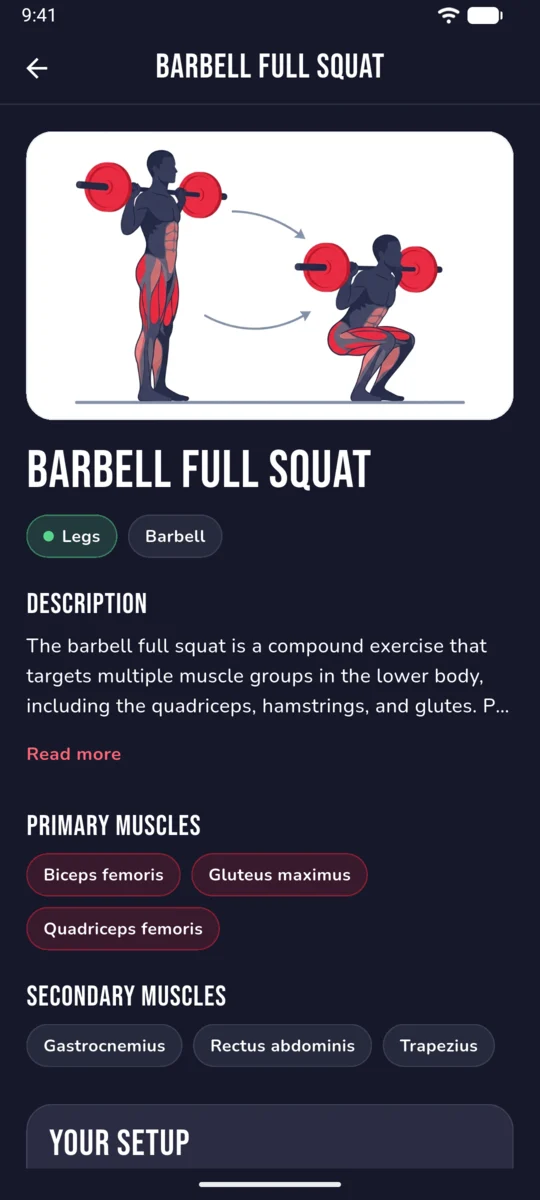
View your training history for each exercise, track your starting weight, current weight, estimated 1RM, and see how your lifts have progressed across sessions.
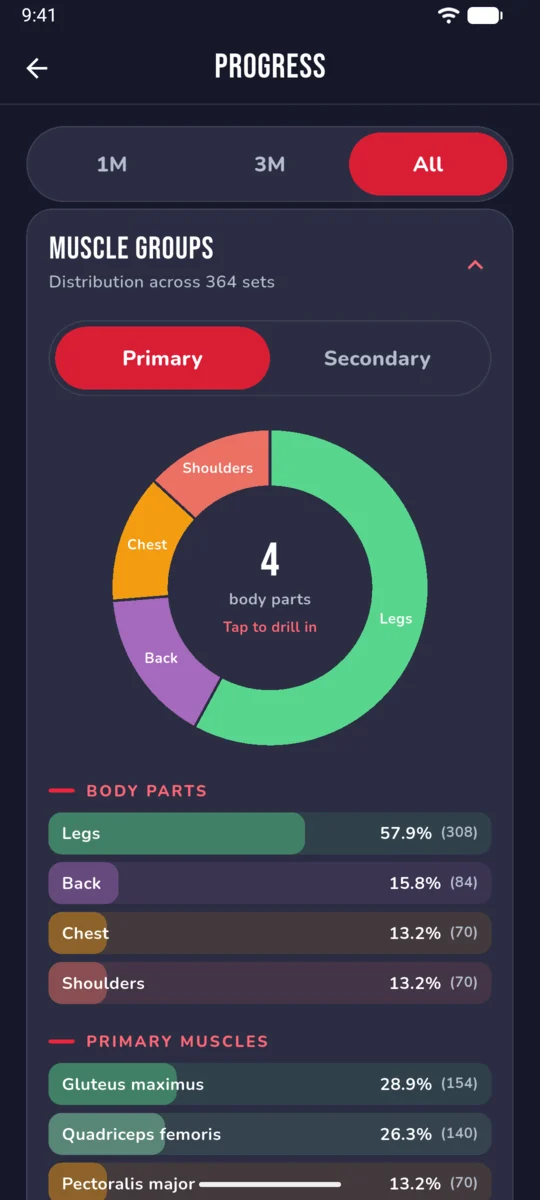
See exactly how your training volume is distributed across body parts and individual muscles. Toggle between primary and secondary movers, drill into any muscle group, and identify gaps in your routine.
Track bodyweight and other measurements alongside your training to see how your physique evolves with your strength gains.
Sign in with your Google account, or with Apple on iPhone, for a seamless setup, and your data syncs securely to the cloud so it's never lost.
See which plates to load on each side of the bar, with warm-up sets worked out up to your working weight.
No complicated menus, no ads, and no likes or comments to chase. You open the app, see your next workout, do it, log it, and move on with your day. The interface is designed to be used between sets at the gym, not scrolled through on the couch.
RoburLog supports both metric (kg) and imperial (lbs) units, converting seamlessly so you can work in whichever system you prefer. All calculations happen behind the scenes with precision rounding, so your plate math is always clean.
The architecture is built so more programs can follow — a 5/3/1 powerlifting template, an upper/lower split, or something entirely custom — each with the same guided approach: enroll, follow the plan, log your work, and track your progress.
The accessory exercise catalog will keep growing, with richer exercise details, demonstration media, and smarter muscle group reporting. And your account, your programs, and your entire workout history travel with you, kept safe in the cloud.
Free on iPhone and Android. Sign in on roburlog.io with the same account to see your reports and Friends on a bigger screen.
